About 99 Cent Crafts – Affordable SVG & Embroidery Files for Cricut, Silhouette & Embroidery Machines
Who We Are: US-Based Crafters Creating Digital Design Files You Can Trust
Welcome to 99centcrafts.com—born from our own frustration as crafters who spent too much on design files that didn’t always deliver.
We’re a US-based team of graphic designers and lifelong crafting enthusiasts who personally own Cricut, Silhouette, and embroidery machines. We started this shop because we believe quality design files shouldn’t require a premium price tag. Every file in our collection has been created, tested, and refined on real machines—from cutting vinyl decals for our own projects to stitching embroidery designs on our Brother and Janome machines.
We’re not a faceless marketplace. We’re crafters like you: parents making custom t-shirts for our kids’ sports teams, Etsy sellers perfecting our product lines, and hobbyists who light up when a design cuts cleanly the first time. We build files we’d use ourselves—and price them so you can stock up without guilt.
Meet the Founder: The Person Behind Your Designs
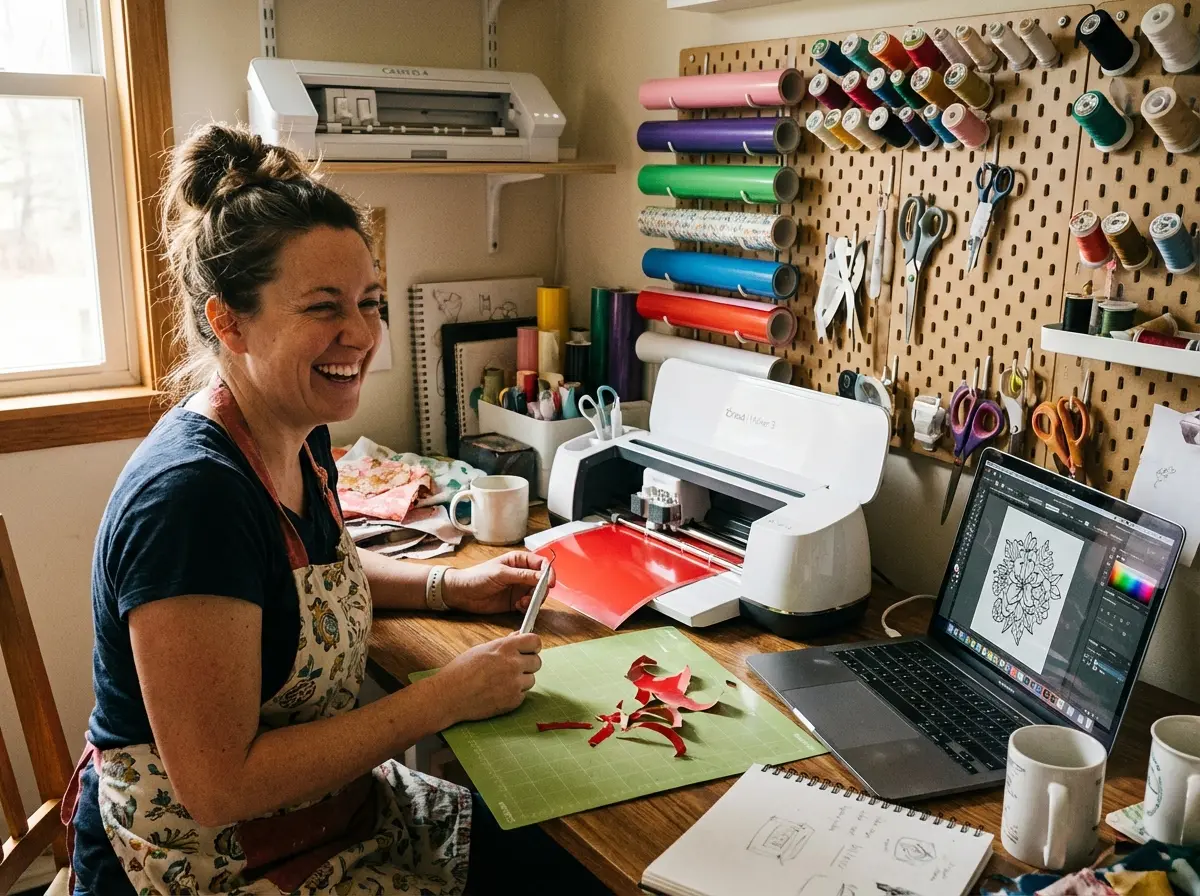
Hi, I’m Amanda Hayes – Founder & Lead Designer
I started 99 Cent Crafts in 2018 after spending years (and way too much money) on SVG files that promised perfection but delivered frustration. As someone who learned Cricut the hard way—through countless failed cuts, wasted vinyl, and “why won’t this file work?!” moments—I knew there had to be a better way.
My Crafting Journey:
- 📅 Started crafting: 2012 with my first Cricut Explore Air
- 🎓 Background: Self-taught graphic designer with over 10 years of experience in vector illustration and digital design. Previously worked as a freelance designer helping small businesses and Etsy sellers create custom branding and product designs.
- 🖥️ Software expertise: Adobe Illustrator (since 2013), Inkscape, Cricut Design Space, Silhouette Studio
- 🧵 Embroidery training: Completed professional digitizing courses in 2019, specializing in hand-digitized files for home embroidery machines
- 🏠 Based in: Joppa, Maryland, USA
Machines I Own & Use Daily:
- ✂️ Cricut Maker 3 (upgraded from Maker in 2022)
- ✂️ Silhouette Cameo 4 (because I know many of you prefer Silhouette!)
- 🧵 Brother PE800 embroidery machine
- 🧵 Janome Memory Craft 550E
Why I Started This Business:
After buying a $7 SVG file in 2017 that wouldn’t cut properly on my Cricut (despite the seller claiming it was “tested”), I realized: if I’m frustrated, thousands of other crafters must be too. I decided to use my graphic design skills to create files that actually WORK—and price them so you don’t have to choose between quality and affordability.
My Promise to You:
Every single file in our shop has been personally test-cut on my Cricut Maker 3 or Silhouette Cameo 4. Every embroidery design has been stitched out on my Brother PE800. I don’t release anything I wouldn’t use myself. If a file doesn’t work for you, I’ll fix it or refund you—no questions asked.
When I’m Not Designing:
You’ll find me making t-shirts for my kids’ soccer team, creating custom signs for friends’ weddings, or testing new Cricut materials (yes, I’m that person who gets excited about new vinyl colors 😊).
Let’s Connect:
- 📧 Email me directly: [email protected]
- 📷 Follow on Instagram: @99centcrafts
- 📌 Get inspired on Pinterest: pinterest.com/99centcrafts
- 👥 Join our Facebook community: facebook.com/99centcrafts
Our Design Team: The People Creating Your Files
Lead SVG Designer & Quality Control
Role: Creates and optimizes all SVG cutting files
Background: 8+ years of graphic design experience specializing in vector illustration. Former freelance designer for Etsy sellers and small businesses. Expert in Cricut Design Space and Silhouette Studio.
Why I Love This Job: “There’s nothing more satisfying than seeing a design cut perfectly on the first try. I optimize every SVG to have minimal nodes and clean paths because I know how frustrating weeding complicated designs can be.”
Favorite Design Style: Intricate layered SVGs for home décor, seasonal designs (Halloween is my jam!)
Tools I Use: Adobe Illustrator, Inkscape, Cricut Maker 3, Silhouette Cameo 4
Embroidery Digitizing Specialist
Role: Hand-digitizes all embroidery files (no auto-tracing!)
Background: 6+ years of professional embroidery digitizing. Trained in proper underlay techniques, stitch direction, and density control. Works with Brother, Janome, and Bernina machines daily.
Why Hand-Digitizing Matters: “Auto-traced embroidery files are a disaster waiting to happen—puckering, thread breaks, poor registration. I digitize every file manually with proper underlay and push-pull compensation so it stitches beautifully on your machine.”
Favorite Projects: Detailed embroidery patches, appliqué designs, multi-color monograms
Machines I Test On: Brother PE800, Janome Memory Craft 550E, Bernina Artista (access through local embroidery guild)
Customer Support & File Troubleshooting
Role: Helps customers with file compatibility issues and machine-specific questions
Background: Been crafting with Cricut and Silhouette for 10+ years. Former Cricut Facebook group admin. Knows the common issues with every machine model and can troubleshoot most problems in minutes.
Why I Joined This Team: “I’ve been that frustrated crafter trying to figure out why a file won’t upload. I love helping people get past technical hurdles so they can focus on creating.”
Available: Monday-Friday, 9 AM – 6 PM EST via [email protected]
What We Offer: SVG Files & Machine Embroidery Designs for All Skill Levels
At 99centcrafts.com, we specialize in digital design files that work seamlessly with your favorite crafting machines:
SVG Cutting Files for Cricut, Silhouette & Die-Cutting Machines
Optimized for clean cuts on vinyl, HTV (heat transfer vinyl), cardstock, and more. Perfect for creating t-shirts, mugs, home décor, stickers, and DIY crafts. Our SVG files are compatible with:
- Cricut: Explore (Air, Air 2, One), Maker, Maker 3, Joy
- Silhouette: Cameo 3, Cameo 4, Cameo Plus, Portrait 3
- Brother: ScanNCut SDX and DX series
- Other machines: Any cutting machine that supports SVG file format
Machine Embroidery Files (PES, DST, JEF, HUS Formats)
Hand-digitized (not auto-traced) and tested on Brother, Janome, Bernina, and Singer machines. Each embroidery design includes proper underlay, stitch direction, and density control for professional results. Compatible formats for all major brands:
- Brother: PES, PEC (PE series, SE series, Innov-ís)
- Janome: JEF, JEF+, SEW (Memory Craft, Horizon, Skyline)
- Bernina: EXP, DST (Artista, Aurora, 7 Series)
- Singer: XXX, DST (Futura, Legacy)
- Babylock: PES, DST (Destiny, Unity, Solaris)
- Husqvarna Viking: HUS, VIP, VP3 (Designer series, Epic)
- Pfaff: VP3, VIP
- Tajima: DST
Designs for Every Skill Level
From beginner-friendly single-layer files to intricate multi-layered designs for advanced crafters:
- Beginner-Friendly: Simple single-layer SVGs, basic embroidery fills (perfect for your first projects)
- Intermediate: 2-3 layer SVGs with color separation, appliqué embroidery designs
- Advanced: Intricate layered designs, 3D mandala SVGs, detailed embroidery with multiple stitch types
File Formats Included in Every Download
Each purchase includes multiple file formats so you can use your design across different machines and software:
- SVG Cutting Files Include:
- SVG (Scalable Vector Graphics – works with all cutting software)
- DXF (For older Silhouette machines and software)
- PNG (300 DPI transparent background – for printing or sublimation)
- PDF (For manual cutting or reference)
- EPS (For Adobe Illustrator users who want to customize)
- Embroidery Files Include:
- PES, DST, EXP, JEF, HUS, VIP, VP3, XXX (machine-specific formats)
- Multiple sizes when applicable (4×4, 5×7, 6×10 hoops)
- Color chart PDF showing thread colors and stitch order
- Stitch count and dimension information
Instant Download: Each purchase includes immediate download access with clear instructions, so you can start creating within minutes.
Our Pricing Philosophy: Honest, Affordable Digital Craft Files
We believe in honest, accessible pricing that reflects the true value of our work without the markup you’ll find elsewhere.
Classic Designs Starting at $0.99
Our classic designs and evergreen favorites are priced to make crafting affordable for everyone. These are time-tested files from our original collections that have been loved by thousands of customers since we started in 2018. Perfect for:
- Budget-conscious crafters building their design library
- Testing new materials or techniques without spending a fortune
- Small businesses needing affordable designs for resale products
- Teachers and parents creating classroom projects or gifts
Premium New Releases: $2.50 – $5.00
Our newer releases, seasonal collections, and intricate designs reflect the hours of hand-digitizing, testing, and refinement that go into each file. Even at our highest price point, we’re still a fraction of what you’d pay elsewhere—because we’d rather see you create more than spend more.
Why Our Prices Are Lower:
- 💾 Digital-only business: No physical inventory, warehouse costs, or shipping expenses to pass on to you
- 🤝 Direct-to-customer: No middlemen, no retail markup, no distributor fees
- 📈 Volume-based pricing: We’d rather earn your loyalty through repeat business than make a killing on one sale
- 👨👩👧 Small team, low overhead: We’re a lean operation focused on quality design, not expensive marketing campaigns
No subscriptions. No hidden fees. No monthly charges. Just straightforward pricing that respects your budget.
Why Crafters Choose 99 Cent Crafts Over Other SVG & Embroidery Shops
✅ Tested on Real Cricut Maker 3, Silhouette Cameo 4 & Embroidery Machines
Every file is verified on actual machines we own—not simulated in software. Our testing process:
- 🖨️ SVG files: Test-cut on Cricut Maker 3 and Silhouette Cameo 4 using standard vinyl, HTV, and cardstock
- 🧵 Embroidery files: Stitched out on Brother PE800 and Janome Memory Craft machines
- 📐 Multiple materials: We test on various substrates to ensure versatility
- 🔍 Quality check: Inspected for weeding difficulty, alignment issues, and cutting/stitching accuracy
Our Iron-Clad Guarantee: If a file doesn’t work for your machine, we’ll provide a replacement format, troubleshoot with you via email, or issue a full refund—no questions asked within 30 days.
✅ Budget-Friendly Without Compromising Quality
We optimize every vector for smooth cutting and reduce stitch counts without sacrificing detail. Our files feature:
- Minimal nodes for SVGs: Fewer anchor points = faster processing, cleaner cuts, easier weeding
- Proper color separation: Layers are organized and labeled by color for easy assembly
- Optimized embroidery density: Prevents puckering, thread breaks, and fabric distortion
- Clear file organization: Layers are named logically (e.g., “Layer 1 – Red Base”, “Layer 2 – Black Outline”)
- No overlapping vectors: Prevents double-cutting and material waste
You get professional results without the professional price tag.
✅ Instant Digital Delivery – No Shipping Required
No shipping fees, no waiting for USPS, no lost packages. Here’s how it works:
- Complete checkout (PayPal, Visa, MasterCard accepted)
- Receive instant download link on confirmation page
- Get email with download link (check spam if not received within 5 minutes)
- Files saved to your account for future re-downloads
- Start crafting within minutes
Download links valid for 30 days, but you can re-download from your account indefinitely.
✅ Made for the US Crafting Community
From 4th of July to Thanksgiving, Halloween to Christmas, our designs reflect the holidays and trends that matter to American crafters. We also update our catalog regularly with on-trend designs for:
- 🇺🇸 US Holidays: Independence Day, Memorial Day, Labor Day, Veterans Day
- 🎃 Seasonal Favorites: Halloween, Thanksgiving, Christmas, Valentine’s Day, Easter
- 🏫 School Events: Back to School, Teacher Appreciation Week, graduation
- ⚾ Sports & Activities: Baseball, soccer, football, cheer, dance
- 💼 Small Business Trends: Popular Etsy niches, craft fair bestsellers
- 📅 Everyday Projects: Birthday parties, weddings, baby showers, home décor
✅ Beginner to Pro-Friendly File Organization
Clear layering, organized files, and easy-to-follow instructions mean less troubleshooting and more creating. Each download includes:
- 📄 PDF instruction sheet with visual assembly guide and layer breakdown
- 🎨 Organized layers labeled by color and cut order
- 📏 Suggested settings: Material recommendations, blade depth, machine speed
- 💡 Pro tips: Weeding advice, alignment tricks, troubleshooting common issues
- 📐 Size information: Original dimensions and scaling recommendations
Whether this is your first cut or your thousandth, our files are designed for success.
Our Customers: Who Uses 99 Cent Crafts Digital Files
We proudly serve a diverse crafting community across the United States:
- 🎨 DIY Hobbyists looking for affordable files to fuel their creative passion without breaking the bank. Whether you’re decorating your home, making gifts for friends, or just enjoying the zen of crafting, our prices let you experiment without guilt.
- 💼 Small Businesses & Etsy Sellers who need commercial-use designs for their product lines. All our files include commercial licenses, so you can legally create items for resale. Many of our customers run successful Etsy shops, craft fair booths, and online stores using our designs.
- 👩🏫 Parents & Teachers creating personalized gifts, classroom decorations, event crafts, and educational materials. From teacher appreciation gifts to custom t-shirts for field day, we’ve got designs that make you the classroom hero.
- 🎪 Craft Fair Vendors stocking up on designs to maximize their product variety and profit margins. When files cost $0.99-$5 instead of $7-$12, you can offer more variety without eating into your profits.
- 🖨️ Print-on-Demand Sellers using our designs for custom apparel, mugs, and home goods on platforms like Printify, Printful, and CustomCat.
- 💒 Event Planners & DIY Brides creating custom décor for weddings, birthday parties, baby showers, and corporate events. Our designs help you achieve that “Pinterest-perfect” look on a budget.
- 🧵 Embroidery Business Owners needing professionally digitized files for custom embroidery work on hats, shirts, bags, and patches.
No matter your crafting goals, we provide the digital tools to make your projects easier, faster, and more profitable.
How We Create Our SVG & Embroidery Files: Our 5-Step Quality Process
We take pride in our design process. Unlike automated design mills that churn out low-quality files using algorithms and auto-trace software, we invest time and expertise into every single design. Here’s exactly how we work:
Step 1: Concept & Sketching for Current Craft Trends
Every design starts with a creative concept tailored to current trends or timeless themes. Our process:
- 📊 Market research: We monitor Etsy trends, Pinterest popular pins, and craft fair bestsellers
- 💬 Customer feedback: We listen to your requests and suggestions
- 📅 Seasonal planning: Designs are created 2-3 months ahead of holidays to give you prep time
- ✏️ Concept sketching: Initial ideas are sketched (digitally or on paper) before vectorization
Step 2: Vector Optimization in Adobe Illustrator & Inkscape
Files are created in Adobe Illustrator and optimized in Inkscape to reduce unnecessary nodes, ensuring smooth cuts and fast processing. Our technical process:
- Manual path creation: We draw paths manually using pen tool (not auto-trace)
- Node reduction: Minimize anchor points while maintaining shape integrity
- Curve smoothing: Adjust Bézier curves for optimal cutting paths
- Color separation: Organize layers by color for easy assembly
- No overlapping paths: Prevents double-cutting and wasted material
- File size optimization: Keep file sizes manageable for fast software loading
Why this matters: Files with too many nodes cause cutting machines to slow down, create jagged edges, and make weeding difficult. Our optimized files cut smoothly and quickly.
Step 3: Hand-Digitized Embroidery Files (Not Auto-Traced)
We hand-digitize embroidery files—we never use auto-trace software that creates messy, unprofessional results. Our digitizing process includes:
- Proper underlay stitching: Foundation stitches prevent fabric distortion and provide dimensional effects
- Strategic stitch direction: Mimics natural fabric grain and creates realistic texture
- Density control: Prevents puckering while ensuring full coverage (typically 4-6mm for fill stitches)
- Push-pull compensation: Adjusts stitch placement to account for fabric pull during embroidery
- Color optimization: Minimizes thread changes while maintaining design integrity
- Proper tie-offs and trims: Reduces jump stitches and makes finishing easier
- Multiple hoop sizes: When applicable, designs are digitized in 4×4, 5×7, and 6×10 sizes
Auto-traced vs. Hand-Digitized: Auto-trace software converts images to stitches automatically, resulting in excessive stitch counts, poor registration, puckering, and thread breaks. Hand-digitizing takes 10x longer but produces professional results that actually work on your machine.
Step 4: Real-World Testing on Cricut, Silhouette & Brother Machines
Each file is test-cut on Cricut Maker 3 and Silhouette Cameo 4 machines, and embroidery files are stitched out on our machines:
- SVG Testing:
- Cricut Maker 3 with Fine-Point Blade, Knife Blade, and Rotary Blade
- Silhouette Cameo 4 with AutoBlade
- Tested on: Standard vinyl, HTV, cardstock (65lb and 110lb), glitter cardstock
- Weeding test: If a design is too difficult to weed, we simplify it
- Embroidery Testing:
- Brother PE800 embroidery machine (most common home machine)
- Janome Memory Craft 550E
- Tested on: Cotton twill, polyester, fleece, felt, denim
- Stitch count verification: Ensure it matches design specifications
- Thread break test: If a design causes frequent breaks, we adjust tension/density
Real-world conditions: We don’t just test in ideal conditions. We test with budget materials, standard machine settings, and realistic user scenarios to ensure files work for everyone—not just experts with premium equipment.
Step 5: Quality Control for File Compatibility
Before release, we conduct a final quality check:
- ✅ Verify no overlapping vectors in SVG files (prevents double-cutting)
- ✅ Confirm color separation accuracy (layers organized logically)
- ✅ Test file compatibility:
- Upload to Cricut Design Space (desktop and mobile app)
- Import to Silhouette Studio Basic Edition and Designer Edition
- Load embroidery files on actual machines to verify no corruption
- ✅ Check file size optimization: Files load quickly without lag
- ✅ Ensure all formats export correctly: SVG, DXF, PNG, PDF, EPS all included
- ✅ Create instruction PDF: Visual guide with assembly steps and tips
The result? Files that work the first time—so you spend less time troubleshooting and more time creating.
File Compatibility Guarantee: 30-Day Replacement or Full Refund
We stand behind every file we sell with our iron-clad compatibility guarantee:
Cutting Files Tested with Cricut Design Space & Silhouette Studio
All SVG cutting files are tested and verified to work with:
- Cricut Design Space: Desktop app (Windows/Mac), iOS app, Android app, web browser version
- Silhouette Studio: Basic Edition, Designer Edition, Designer Edition Plus, Business Edition
- Inkscape: Free vector editing software (version 1.0+)
- Adobe Illustrator: CC 2018 and newer
- CorelDRAW: 2018 and newer
- Other cutting software: Any program that imports SVG format
Embroidery Files Verified on Brother, Janome, Bernina & Singer Machines
All embroidery designs are verified to work with these brands and models:
- Brother: PE series (PE800, PE550D, PE535, PE770), SE series (SE600, SE1900), Innov-ís series
- Janome: Memory Craft series, Horizon Memory Craft series, Skyline series
- Bernina: Artista series, Aurora series, 7 Series, 5 Series
- Singer: Futura series, Legacy series, XL-580
- Babylock: Destiny, Unity, Solaris, Aventura series
- Husqvarna Viking: Designer series (Epic, Diamond, Ruby), Topaz series
- Pfaff: Creative series
- Tajima: Commercial embroidery machines
Our Guarantee to You
If a file doesn’t work with your machine or software, contact us within 30 days.
We’ll provide one of the following solutions:
- Alternative format: We’ll convert the file to a different format that works with your machine
- Troubleshooting support: We’ll walk you through fixing compatibility issues via email (with screenshots)
- File replacement: If the file is defective, we’ll send you a corrected version
- Full refund: If we can’t resolve the issue, you get your money back—no questions asked
Contact us at: [email protected] with your order number, file name, and description of the issue. We typically respond within 24 hours on business days.
Your satisfaction is our guarantee. We’re not here to make a quick buck—we’re building a business on trust and quality.
Join Our Crafting Community on Social Media
Thousands of crafters across the US are already using 99centcrafts.com to bring their creative visions to life. Join our growing community!
See what they’re making and get inspired:
- 📌 Pinterest: pinterest.com/99centcrafts
Follow for: Project inspiration, design previews, crafting tips, material recommendations - 👥 Facebook: facebook.com/99centcrafts
Join for: Community discussions, troubleshooting help, customer project shares, exclusive promotions - 📷 Instagram: @99centcrafts
Follow for: New release announcements, behind-the-scenes design process, customer feature posts
Share your projects and tag us! Use hashtag #99centcrafts or @99centcrafts for a chance to be featured on our social media. We love seeing what you create and frequently showcase customer projects (with permission) to inspire others.
Pro Tip: Our Facebook group is the best place to ask questions, get troubleshooting help from other users, and see real-world examples of our files in action.
Customer Reviews: What Crafters Say About 99 Cent Crafts
Don’t just take our word for it—here’s what real customers have to say:
“I was skeptical about the low prices, but these files are AMAZING. The Christmas SVG I bought cut perfectly on my Cricut Maker and the layering was so easy to follow. No overlapping cuts, no weeding nightmares. I’ve already ordered 10 more designs and recommended this shop to my entire crafting group!”
— Sarah M., Ohio | Verified Purchase
“As an Etsy seller, I need affordable designs that still look professional. 99centcrafts delivers every time. The embroidery files stitch out beautifully on my Brother PE800 with no puckering or thread breaks. I’ve used their files for over 50 custom orders now and haven’t had a single complaint from customers. Best investment for my business!”
— Jessica T., Texas | Etsy Seller | Verified Purchase
“Finally, a site that doesn’t charge $6+ per file! The quality is just as good as the expensive ones I used to buy. I’ve tested files from both sites side-by-side and honestly can’t tell the difference—except my wallet is much happier. This is my new go-to shop for all my SVG and embroidery needs.”
— Matt P., Maryland | Verified Purchase
“I run a small craft business from home and these files have saved me SO much money. The commercial license is included (unlike some other shops that charge extra), and I’ve never had a file that didn’t work. Customer service is fantastic too—I had one file that wouldn’t upload to Design Space and they responded within 2 hours with a solution. Highly recommend!”
— Amanda R., California | Small Business Owner | Verified Purchase
“I love that they actually test on real machines! I’ve bought files from other sites that looked perfect in the preview but wouldn’t cut properly on my Silhouette Cameo 4. Every file from 99centcrafts has worked perfectly on the first try. The instruction PDFs are super helpful too, especially for complex layered designs.”
— Jennifer K., Florida | Verified Purchase
“Best embroidery files I’ve found! I’m new to machine embroidery and have struggled with files from other shops that caused thread breaks and puckering. These files stitch out perfectly on my Janome Memory Craft. You can tell they’re hand-digitized by someone who actually knows what they’re doing. Worth every penny (which isn’t many pennies—so that’s even better!).”
— Lisa M., North Carolina | Verified Purchase
Join 5,000+ satisfied customers! Browse Our Designs →
Frequently Asked Questions About Our Digital Craft Files
Can I Use These Files for Commercial Projects (Etsy, Craft Fairs, Small Business)?
A: YES! All files include a commercial license for physical products at no additional cost. This means you can legally use our designs to create items for resale, including:
- ✅ T-shirts, apparel, and clothing for your online store or craft fair booth
- ✅ Mugs, tumblers, and drinkware for Etsy or local markets
- ✅ Decals, stickers, and vinyl products
- ✅ Home décor items (signs, pillows, wall art) for resale
- ✅ Embroidered patches, hats, bags, and custom embroidery work
- ✅ Items sold on Etsy, Amazon Handmade, eBay, at craft fairs, or in your retail store
- ✅ Custom orders for clients (wedding signs, birthday decorations, etc.)
What you CANNOT do:
- ❌ You cannot resell, share, trade, or redistribute the digital files themselves
- ❌ You cannot claim the designs as your own creation or re-register them as trademarks
- ❌ You cannot upload the raw files to print-on-demand services where others can download the file (you can create products, but not share the source file)
- ❌ You cannot use the files to create competing digital product shops
Bottom line: Make and sell as many physical products as you want. Just don’t share or resell the digital files.
What If the SVG or Embroidery File Doesn’t Open in My Software?
A: Contact us at [email protected] within 30 days with the following information:
- 📧 Order number (found in your confirmation email)
- 📄 File name that’s causing issues
- 💻 Software you’re using (e.g., Cricut Design Space, Silhouette Studio Basic Edition)
- 📱 Device (Windows PC, Mac, iPad, Android tablet)
- 📸 Screenshot of error message (if applicable)
We’ll respond within 24 hours on business days with:
- Alternative file format that works with your software
- Step-by-step troubleshooting instructions with screenshots
- Corrected file if the original had an error
- Full refund if we can’t resolve the issue
Common fixes we can help with: File won’t upload to Design Space, Silhouette Studio says “invalid file,” embroidery machine won’t read USB, PNG appears with black background instead of transparent, layers aren’t separated properly.
Do I Need an Internet Connection After Downloading Files?
A: No. Once you download the files, they’re yours to use offline forever. You can:
- ✅ Use them without internet connection
- ✅ Store them on your computer, external hard drive, or USB
- ✅ Re-download them from your account anytime (download links don’t expire in your account)
- ✅ Transfer them between devices
- ✅ Use them unlimited times for unlimited projects
We recommend saving files to multiple locations for safekeeping:
- Your computer’s Documents folder (organized by category)
- Cloud backup (Google Drive, Dropbox, iCloud, OneDrive)
- External hard drive or USB flash drive
Note: You’ll need internet to download the files initially and to access your account for re-downloads, but once downloaded, the files work completely offline.
Are Your Prices Really This Low? What’s the Catch?
A: No catch! Here’s exactly why we can offer lower prices:
- 💾 Digital-only business model: No physical inventory to store, no warehouse rent, no packaging materials, no shipping logistics. Our overhead is dramatically lower than traditional retail.
- 🤝 Direct-to-customer sales: No distributors, no retailers, no middlemen taking a cut. When you buy from us, you’re buying directly from the creators.
- 📈 Volume over margin: We’d rather sell 100 files at $2 each than 10 files at $10 each. Our business model is built on customer loyalty and repeat purchases.
- 👨👩👧 Small team, low overhead: We’re not a massive corporation with expensive marketing budgets. We’re a lean operation that reinvests profits into creating more designs.
- 🏠 Home-based business: No expensive office space or retail storefront to pay for.
- 💡 Smart pricing strategy: Our older designs at $0.99 introduce new customers to our quality, and they often come back for our $2.50-$5 premium designs.
Our pricing breakdown:
- $0.99 files = classic designs, evergreen favorites, simplified projects
- $2.50-$5.00 files = new releases, intricate designs, seasonal collections, hand-digitized embroidery
Industry comparison: Most SVG shops charge $5-$12 per file. Embroidery files typically cost $8-$15. We’re priced at 50-80% less while maintaining the same (or higher) quality.
Still skeptical? Try one of our $0.99 files risk-free. If it doesn’t work perfectly, we’ll refund you. That’s how confident we are in our quality.
What’s Your Refund Policy for Digital Products?
A: We offer refunds under the following conditions:
✅ We WILL refund if:
- File is defective, corrupted, or won’t open
- File is incompatible with your machine and we can’t provide alternative format
- File is not as described on the product page (missing layers, wrong size, etc.)
- Files are missing from the advertised bundle
- Design has significant quality issues (overlapping vectors, unclosed paths, etc.)
❌ We CANNOT refund if:
- You changed your mind after downloading
- You purchased the wrong file by mistake (but we can help with exchange)
- You don’t know how to use the file (but we’ll provide tutorials and support)
- User error in cutting/stitching (wrong settings, dull blade, etc.)
Our policy in plain English: Digital products are generally non-refundable after download due to their nature (you can’t “return” a downloaded file). However, if there’s a legitimate problem with the file, we’ll work with you to fix it or refund you. We’ve built our reputation on customer satisfaction, not fine print.
Request a refund: Email [email protected] within 30 days with your order number and explanation. We typically respond within 24 hours.
See our complete Refund & Returns Policy for full details.
What File Formats Are Included in Each Purchase?
A: Every purchase includes multiple formats for maximum compatibility. Here’s exactly what you get:
SVG Cutting Files Include:
- SVG – Universal format, works with all cutting machines and software
- DXF – For older Silhouette machines and software that don’t support SVG
- PNG – 300 DPI with transparent background (for sublimation, printing, or design mockups)
- PDF – For reference, manual cutting, or printing templates
- EPS – For Adobe Illustrator users who want to customize designs
Embroidery Files Include (machine-specific):
- PES – Brother, Babylock
- DST – Tajima, most commercial machines
- EXP – Bernina, older Melco machines
- JEF – Janome, Elna, Kenmore
- HUS – Husqvarna Viking
- VIP/VP3 – Husqvarna Viking, Pfaff
- XXX – Singer, Compucon
Additional embroidery files include:
- Color chart PDF (shows thread colors and stitch order)
- Multiple hoop sizes when applicable (4×4, 5×7, 6×10)
- Stitch count and dimension information
Don’t see your format? Contact us—we may be able to provide it at no additional charge.
How Do I Access My Files After Purchase?
A: Super easy! Here’s the step-by-step process:
- Complete checkout using PayPal, Visa, MasterCard, or other accepted payment methods
- Instant download link appears on the order confirmation page immediately after payment
- Click “Download” to save files to your computer
- Files are typically delivered as a .ZIP folder
- Check your email for order confirmation with download link
- Email arrives within 5 minutes (check spam/junk folder if not received)
- Download link in email is valid for 30 days
- Access from your account anytime
- Log in to your account
- Go to “My Account” → “Downloads”
- All your purchased files are saved here for unlimited re-downloads
Unzip the files: Right-click the downloaded .ZIP file and select “Extract All” (Windows) or double-click (Mac). This will create a folder with all the individual file formats.
Need help? Email [email protected] if you have any issues accessing your files.
Do You Offer Custom Design Services or Design Requests?
A: Currently, we focus on our ready-made design library to keep prices affordable for everyone. Custom design services would require significantly higher pricing (typically $50-$200+ per custom design).
However, we LOVE suggestions for new designs! Email us at [email protected] with your ideas:
- Seasonal themes you’d like to see
- Sports team concepts
- Holiday designs
- Specific styles (e.g., “more retro designs,” “more farmhouse style”)
If we create your suggested design and add it to our shop, we’ll send you a free copy as a thank you!
For true custom work: If you need a completely custom design for your business or event, email us with your requirements and budget. While we don’t typically offer custom services, we may be able to accommodate special projects on a case-by-case basis.
I’m a Complete Beginner. Will These Files Work for Me?
A: Absolutely! We design files with beginners in mind. Here’s what makes our files beginner-friendly:
- ✅ Clear instructions: Every download includes a PDF guide with visual steps
- ✅ Organized layers: Layers are labeled by color and cut order
- ✅ Suggested settings: We include recommended materials and machine settings
- ✅ Weeding tips: For complex designs, we note which parts to weed first
- ✅ Skill level tags: Products are marked “Beginner Friendly,” “Intermediate,” or “Advanced”
Start with these file types:
- Single-layer SVGs (no complicated layering)
- Simple embroidery fills (basic shapes with minimal detail)
- Designs under 6 inches (easier to work with)
Helpful resources:
- Join our Facebook group for beginner tips
- Watch Cricut Design Space tutorials on YouTube
- Email us questions—we’re happy to help!
Remember: Everyone was a beginner once. The key is starting with simple projects and working your way up. Our $0.99 files are perfect for practice!
Contact & Customer Support: Get Help with Your Digital Files
We’re here to help with any questions about our products, downloads, file compatibility, troubleshooting, or account support. Real people, real responses—no bots.
Business Address & Email Support
📍 Mailing Address:
99 Cent Crafts
1612 Bridewells Ct
Joppa, MD 21085
United States
📧 Email Support:
[email protected]
For founder/design questions:
[email protected]
Support Hours & Response Times
🕘 Support Hours:
Monday – Friday, 9:00 AM – 6:00 PM (Eastern Standard Time)
We typically respond within 24 hours on business days. During holiday seasons (Black Friday through Christmas, Halloween week), response times may be 24-48 hours due to high volume.
We’re closed on: Weekends, Thanksgiving Day, Christmas Day, New Year’s Day
Social Media Support (Fastest for General Questions)
📱 For quick questions, message us on social media:
- Facebook: facebook.com/99centcrafts (Messenger responses within hours)
- Instagram: @99centcrafts (DM responses within hours)
What to Include in Your Support Request
To help us resolve your issue quickly, please include:
- 📧 Order number (found in confirmation email – format: #12345)
- 📄 Specific file name that’s causing issues
- 💻 Software/machine you’re using (e.g., “Cricut Design Space on Windows PC,” “Brother PE800 embroidery machine”)
- 📸 Screenshots of error messages (if applicable)
- 📝 Description of what’s happening vs. what you expected
Common issues we can help with: Files won’t upload, layers not separated, wrong format for your machine, design too large/small, embroidery file causes thread breaks, unclear instructions, missing files from bundle.
Our Mission: Making Professional Design Files Accessible to Every Crafter
Affordable. Reliable. Creative.
We believe every crafter—from the beginner cutting their first vinyl decal to the seasoned Etsy seller expanding their product line—deserves access to high-quality design files without the sticker shock.
That’s why we built 99centcrafts.com: to prove that low prices and professional quality can coexist. Our goal isn’t just to sell you files—it’s to become your trusted partner in bringing your creative ideas to life.
Why We’re Different
We’re tired of the gatekeeping in the crafting industry:
- ❌ Tired of $10+ SVG files that are just traced clipart with no optimization
- ❌ Tired of auto-generated embroidery designs that pucker and distort
- ❌ Tired of “tested” files that clearly weren’t tested on real machines
- ❌ Tired of websites that disappear after taking your money, leaving you with no support
- ❌ Tired of vague commercial license terms that leave sellers confused about legal use
We’re building something different:
- ✅ A sustainable business model where affordability meets authenticity
- ✅ Every file tested by real crafters on real machines
- ✅ Customer support that actually responds (and helps!)
- ✅ Clear licensing terms so small businesses can grow with confidence
- ✅ Transparent about who we are, how we work, and why we price the way we do
Our Promise to the Crafting Community
When you succeed with our files, we succeed.
- When your Etsy shop grows, we grow.
- When your craft fair booth gets compliments, we celebrate with you.
- When your kid’s birthday shirt comes out perfect, we know we’ve done our job.
- When you finally nail that tricky layered design, we’re cheering you on.
This isn’t just a business for us—it’s a mission to democratize crafting. To prove that you don’t need deep pockets to create professional-looking projects. To show that behind-the-scenes testing and quality control can coexist with budget-friendly pricing.
We’re not here to get rich quick. We’re here to build a business on trust, quality, and genuine care for our customers. That’s why every file is hand-tested. That’s why we respond to every support email. That’s why we include commercial licenses at no extra charge. That’s why we’re transparent about who we are and how we work.
Welcome to our crafting family. Let’s make something amazing together.